Mapping Meshtastic Node Locations
What started as a hunt for a better spot to put one solar node ended with me building my own RF line-of-sight planning tool — and a map showing exactly where two towns’ coverage overlaps.
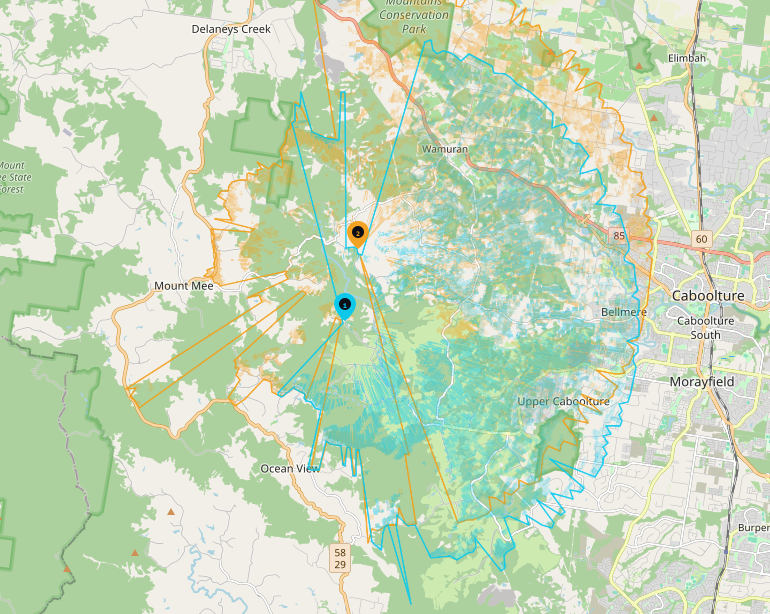
Now that I have made my solar meshtastic node and it has been running smoothly for the past few weeks I decided that it is time to find it a more permanent home. One that would start to enable wider communications.
Also, there is a thriving meshtastic community in Brisbane which I used to be able to get access to via a node located at Ocean View. However that node has since been turned off isolating myself (and a few others) up here on the north side of Brisbane.
I will cover below a few of the steps I have taken in trying to find it a home to enable communication between myself and one of my friends in the next town over who is also into Meshtastic.
First attempt - Driving
I had a pretty good idea of where might be a good spot, there is a road almost half way between the two towns called Jackson Road. It is a windy road that heads up to Mt Mee. Using a line of sight website (SCADACORE) I worked out a few possible spots that would have line of sight between both locations.
While this website worked well, it was challenging as I would need to drag the markers back and forth between the two destinations to try and understand the terrain. It might be fine for one, but not fine for the second leg meaning lots of scrolling and dragging and dropping.
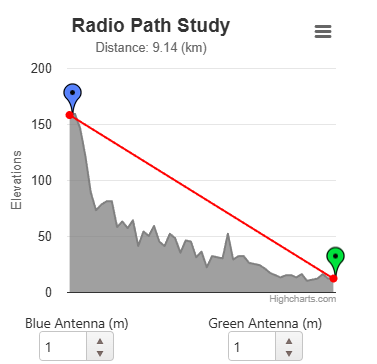
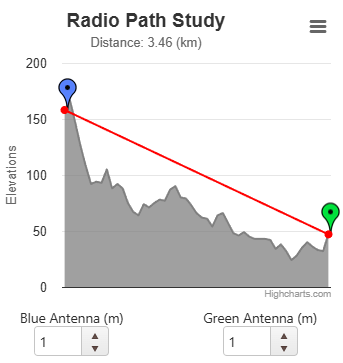
After doing a bit of research, I went for a drive up Jackson Rd stopping where I could to test connectivity between the two spots. (Using the Meshtastic Traceroute feature, which reports the hops and signal strength between two nodes)
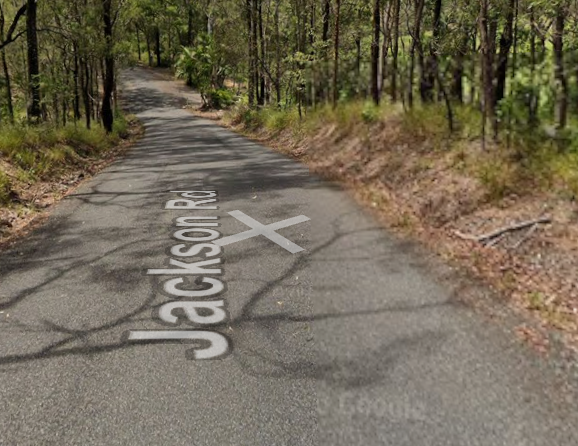
I had some success, however Jackson Road is narrow and winding making finding spots a challenge. Most of the spots that I would want to pull over weren’t great.
Despite this, I found a few places early in the morning, but as I came back down testing them again, the coverage became really patchy — I can only guess due to the change in temperature.
While this kind of worked, it was going to take a long time and lots of driving to find a good spot. Plus, I was only checking places that I kinda knew about based on experience. There was likely to be lots of other good places that I would never have considered.
RF Line of Sight Planner
I figured there had to be a better way, so I took the idea of the SCADACORE rf-path website and wondered if I could build one (RF LOS Planner) to better suit what I was looking to do (Full path analysis, with a path consisting of multiple links)
The first draft of the site allowed me to place multiple nodes on a map, link them together and then create paths consisting of multiple links.

This worked so much better. I could place different locations for repeaters on a map and see the whole path rather than just one link at a time.
I could also make multiple paths on the same map and flick between them to see the difference between different locations.
Adding Coverage
This was a HUGE improvement over driving around trying to find a spot, and using the single path analysis at a time, but I was still limited by my knowledge of the area and in many locations, this is limited to what I could see from a car window, however, I could quickly see if there were other hills in the path I had selected to gain a better understanding.
At first, I tried Google Earth and panned down to see the elevation. This helped, but wasn’t easy to use.
So I started to adjust the Web app to see if it could calculate an estimate of coverage. At first this was as simple as just considering the terrain, however over time it also takes into account surface clutter such as trees etc.
Now, I placed a node at my place and my friends place and mapped coverage looking for spots where they joined.
This actually worked really well, looking at Jackson road, I could see what I had expected, and experienced driving around.
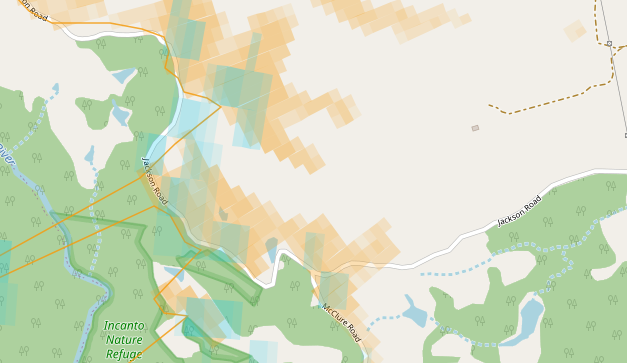
But even better, new places started to appear where the two intersected like this place a bit further south at Rocksberg.
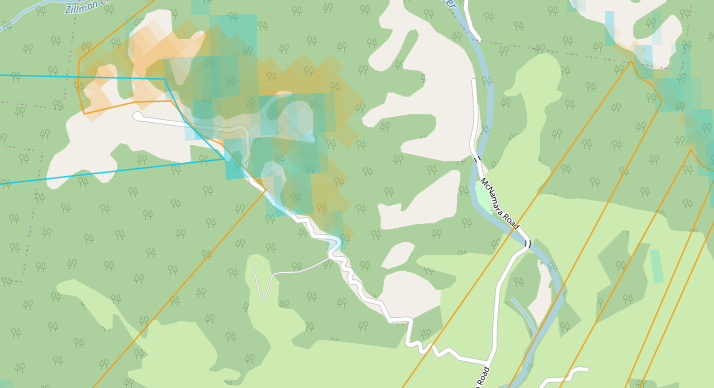
What’s more, it looked like the coverage was stronger at Rocksberg, so it might be a better location.
Reversing the analysis
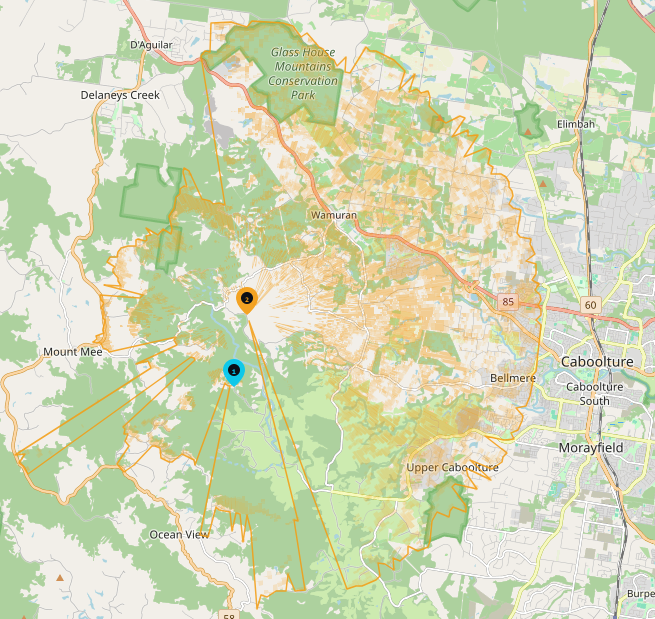
Now that I have some spots, I wanted to see what the impact of placing a node at these locations would be. I have limited range to 10Km as the antenna in the solar node is small. I might be able to get 15Kms, but 10 is a good starting spot.
So I placed nodes in these two locations and mapped the coverage to see what it would look like.
First up, Jackson Road.
And Rocksberg
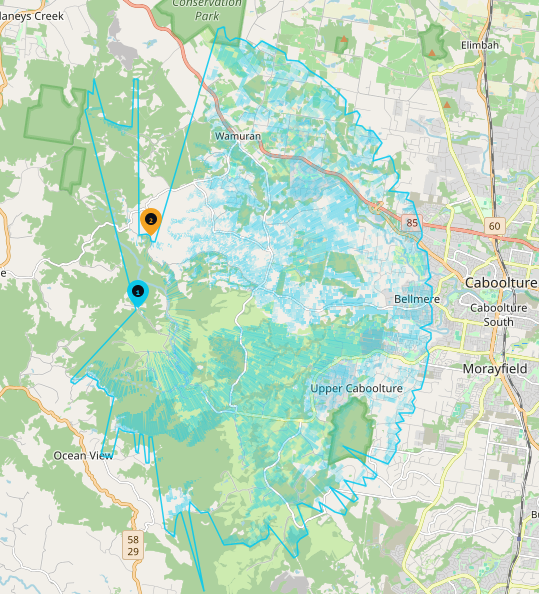
I can even overlay them, add nodes, links and paths to help with analysis, it has become a really handy tool, and from the limited testing I have done, it seems to reflect the coverage I received in location.
Next Steps
Now that I have some locations, I can focus on taking a look to see how I could place the solar node (If it is even possible). That means visiting Jackson Road and Rocksberg in person to check mounting options, access permission, and whether there is enough sun to keep the solar node powered. This will be future blog posts as I inspect the locations and work out what is possible.
The tool
The tool is freely available as a single HTML file. It requires internet to use but can be used online (with all the updates) at RF LOS Planner or GitHub